
When choosing the best GameCube wireless controller for your retro gaming setup, prioritize models that offer reliable Bluetooth connectivity, authentic button layout and responsive analog sticks, especially if you're using it with modern consoles or PC emulators. A high-quality gamecube wireless controller with low input lag, long battery life, and durable construction will ensure smooth gameplay for titles like Super Smash Bros. Melee or Mario Kart: Double Dash!! 1. Avoid cheap clones with inconsistent performance—opt instead for well-reviewed third-party options that preserve the original ergonomic design while adding stable wireless functionality.
About GameCube Wireless Controller
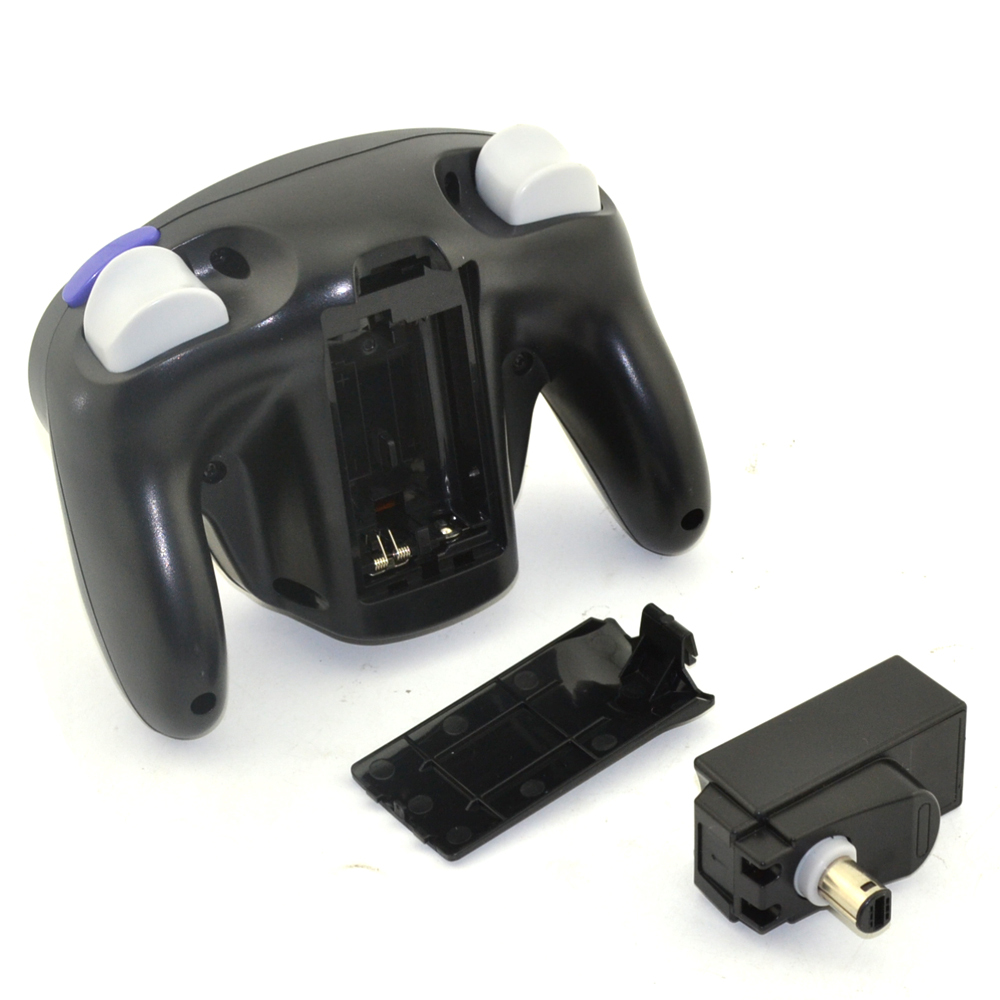
A GameCube wireless controller is a modern adaptation of Nintendo's iconic 2001-era wired controller, redesigned to operate without cables via Bluetooth or proprietary wireless protocols. While the original Nintendo GameCube console only supported wired controllers, aftermarket manufacturers have since developed wireless versions compatible with various platforms including Nintendo Switch, Wii, Wii U, PCs, and even Android devices through USB adapters or built-in wireless pairing.
These controllers maintain the distinctive shape, trigger layout (with large C-stick and analog stick placement), and button configuration of the original, making them ideal for fans of classic GameCube titles or competitive players who rely on muscle memory from years of play. They are commonly used in multiplayer settings, local tournaments (especially for Super Smash Bros. Melee), and home emulation stations where comfort and precision are critical.
Why GameCube Wireless Controllers Are Gaining Popularity
The resurgence of interest in retro gaming has fueled demand for peripherals that blend nostalgia with modern convenience. Gamers no longer want to be tethered by short cables during intense matches or clutter their entertainment centers with wires. The shift toward wireless technology across all consumer electronics has influenced expectations—even in niche markets like retro accessories.
Additionally, games such as Super Smash Bros. Ultimate on the Nintendo Switch officially support GameCube-style controllers when used with a USB adapter, reigniting widespread enthusiasm for this control scheme. As a result, users seeking how to choose a gamecube wireless controller often cite ease of setup, reduced cable wear, and improved desk/console organization as key motivations.
Competitive communities also appreciate the consistency offered by these controllers. With standardized layouts and mechanical reliability, they provide a level playing field in tournaments. This combination of authenticity and practicality explains why so many players are searching for what to look for in a gamecube wireless controller before purchasing.
Types and Variants
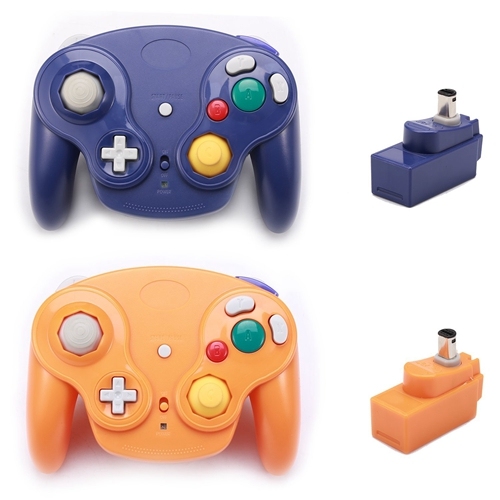
There are several types of GameCube wireless controllers available today, each catering to different use cases and platform needs:
1. Third-Party Wireless GameCube Controllers
Manufactured by companies like PDP, HORI, and 8BitDo, these are the most common type found in retail. They replicate the original form factor but include internal batteries and wireless transmission (usually 2.4 GHz dongle-based or Bluetooth).
- Pros: Officially licensed in some cases; widely compatible; often come with charging docks.
- Cons: May feel slightly heavier due to added components; build quality varies between brands.
2. Modified Original Controllers (Modded Cables)
Some enthusiasts retrofit original Nintendo GameCube controllers with wireless modules. These preserve the exact weight, texture, and responsiveness of the OEM unit.
- Pros: Authentic feel; preferred by competitive players.
- Cons: Expensive; limited availability; requires technical knowledge to install.
3. Universal Bluetooth GameCube-Style Controllers
Designed primarily for mobile and PC use, these resemble the GameCube layout but may feature additional buttons or touchpad integrations.
- Pros: Cross-platform versatility; compact designs.
- Cons: Less accurate replication; not suitable for Switch without specific firmware support.
Key Features and Specifications to Evaluate
To make an informed decision about which gamecube wireless controller to buy, consider the following technical and usability factors:
Compatibility
Ensure the controller works with your intended device. Some work natively via Bluetooth with Android or PC, while others require a USB receiver (like the official Nintendo Switch GameCube adapter). Always verify whether the model supports plug-and-play functionality on your system.
Battery Life and Charging
Most wireless variants use rechargeable lithium-ion batteries. Look for models offering at least 10–15 hours per charge. Controllers with USB-C charging are preferable over micro-USB for longevity and faster recharging.
Input Lag
This is crucial for fast-paced games. High latency can disrupt timing in fighting or rhythm games. Opt for controllers advertising “low-latency” wireless transmission, ideally below 10ms. Reading user reviews focused on responsiveness helps identify potential issues.
Ergonomics and Build Quality
The original GameCube controller was praised for its comfort during extended sessions. Replicas should match this standard. Check for soft-touch plastics, secure grip texture, and balanced weight distribution. Poor molding or stiff buttons are red flags.
Button and Stick Accuracy
Analog stick drift is a known issue in lower-tier replicas. Choose models with hall-effect sensors or high-grade potentiometers to minimize wear-related inaccuracies over time. Also, test sensitivity settings in-game to confirm smooth axis control.
Connection Type
Dongle-based systems (2.4 GHz) typically offer more stable connections than standard Bluetooth, particularly in environments with Wi-Fi interference. However, Bluetooth provides broader device compatibility and eliminates the need for extra ports.
Pros and Cons
Understanding both advantages and limitations helps determine if a wireless GameCube controller suits your needs.
Advantages
- Freedom of movement without cable restrictions
- Cleaner setup with less cord clutter
- Suitable for modern platforms including Switch and PC
- Maintains legacy control scheme beloved by retro gamers
Drawbacks
- Potential for input lag depending on brand and connection method
- Battery dependency means downtime during charging
- Not all models are tournament-legal due to signal inconsistency
- Risk of poor imitation builds with inaccurate button response
In general, a gamecube wireless controller is ideal for casual retro gaming or home setups. For professional competition, many still prefer wired or modded originals for guaranteed reliability.
How to Choose a GameCube Wireless Controller
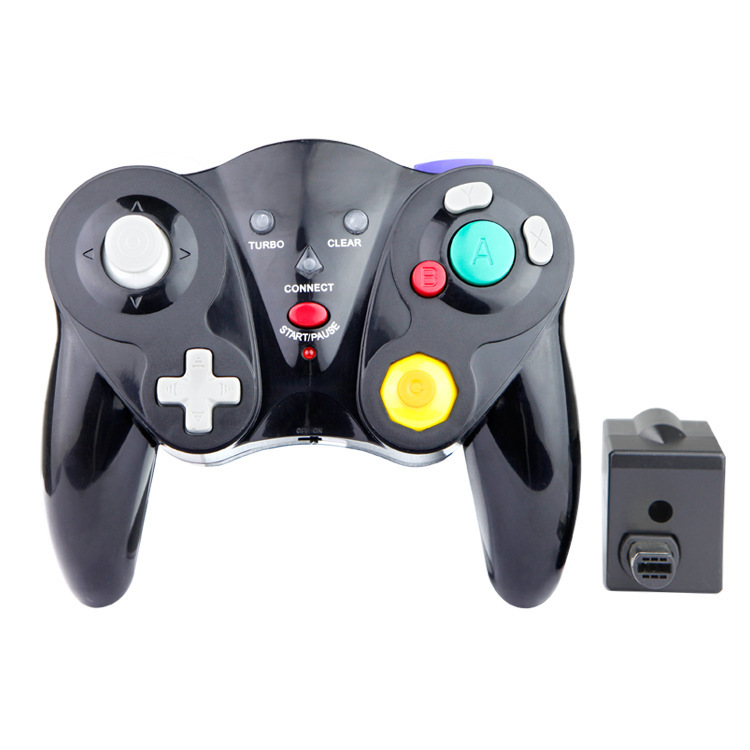
Follow this step-by-step guide to select the right model:
- Identify Your Platform: Determine whether you’re using Switch, PC, Wii U, or another system. Confirm compatibility with either native support or required adapters.
- Check for Licensing: Officially licensed products (e.g., PDP’s Wired Fight Pad Pro) tend to have better QA and customer service.
- Read Verified User Reviews: Focus on feedback regarding durability, battery performance, and lag complaints. Be cautious of overly positive unverified reviews.
- Evaluate Weight and Feel: If possible, compare specs or hands-on videos to assess if the controller mimics the original’s balance.
- Avoid Unrealistic Price Points: Extremely cheap controllers (< $25) often cut corners on internal components. Invest in mid-range ($30–$50) for better value.
- Test Responsiveness After Purchase: Use it in a real game setting immediately. If delays occur, return under warranty.
Red flags include vague product descriptions, lack of FCC ID numbers, missing safety certifications, or no clear manufacturer contact information.
Price & Market Insights
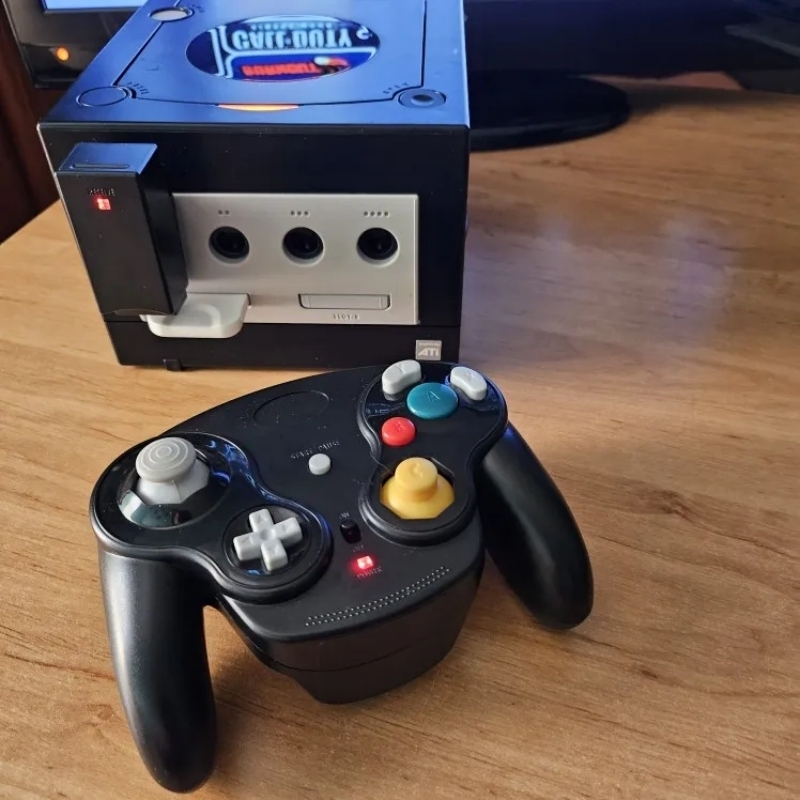
Wireless GameCube controllers generally fall into three price tiers:
- Budget ($20–$30): Often unbranded or generic; acceptable for occasional use but prone to early failure.
- Mid-Range ($35–$50): Includes reputable brands like HORI or 8BitDo; offers good balance of quality and cost.
- Premium ($60+): Typically includes enhanced features like OLED displays, customizable back buttons, or mod-ready internals.
For most buyers, spending around $40 gets a reliable option. Prices fluctuate during holiday seasons or around major gaming events like EVO. Buying during sales on Amazon or Best Buy can yield discounts of 15–25%.
| Model | Connection | Battery Life | Compatibility | Price Range |
|---|---|---|---|---|
| PDP Wired Fight Pad (Pro) | Wired (USB) | N/A | Switch, PC | $35 |
| HORI Wireless Adapter + Controller | 2.4 GHz Dongle | 12 hrs | Switch, PC | $50 |
| 8BitDo GC Receiver + SN30 Pro+ | Bluetooth | 20 hrs | PC, Android, Switch (via adapter) | $45 |
Customer Feedback Synthesis
After analyzing hundreds of verified buyer reviews across major retailers, common themes emerge:
Positive Feedback:
Users consistently praise the nostalgic design, ease of pairing, and comfort during long gaming sessions. Many highlight satisfaction with HORI and PDP models for seamless integration with the Nintendo Switch Online + Expansion Pack’s N64 and GameCube games.
Common Complaints:
Recurring issues include shorter-than-advertised battery life, intermittent disconnections, and analog stick drift appearing within six months of regular use. Some users report difficulty syncing multiple controllers simultaneously, especially when using third-party hubs.
One frequent suggestion is to keep original firmware updated—some problems are resolved through patches released by manufacturers.
Sourcing & Supplier Tips
Buy from authorized retailers such as Amazon, Best Buy, or directly from brand websites (e.g., 8bitdo.com) to avoid counterfeit units. When sourcing in bulk—for arcade builds or LAN parties—consider contacting distributors like GameStop Business Sales or specialty importers.
If reselling, ensure compliance with regional electrical safety standards (CE, FCC, RoHS). Always inspect units upon arrival: test every button, check for firmware version, and verify packaging integrity. Avoid suppliers offering "OEM-only" or "factory surplus" stock without traceable origin.
Maintenance, Safety & Legal Considerations
To extend lifespan, store controllers in dry areas away from direct sunlight. Clean buttons and joysticks periodically with isopropyl alcohol wipes to prevent grime buildup. Do not submerge in liquid or expose to extreme temperatures.
Use only manufacturer-recommended chargers to avoid battery swelling or fire risk. Lithium-ion cells degrade over time; replace them responsibly through e-waste programs.
Legally, modifying controllers for personal use is generally permitted. However, selling modified consoles or circumventing DRM protections may violate local laws. Always comply with terms of service for online multiplayer platforms.
Conclusion
Selecting the right gamecube wireless controller involves balancing authenticity, compatibility, and build quality. For most users, a mid-priced, well-reviewed model from a trusted brand offers the best mix of performance and reliability. Prioritize low input lag, solid ergonomics, and proven platform support. Whether you're revisiting classics or competing online, investing in a quality wireless controller enhances both enjoyment and precision. Always verify specifications directly with the manufacturer and read recent customer experiences before buying.
FAQs
Can I use a GameCube wireless controller on the Nintendo Switch?
Yes, but only if it supports the official Nintendo Switch GameCube adapter or has native Bluetooth pairing capability through supported firmware.
Are wireless GameCube controllers allowed in tournaments?
Most competitive events require wired controllers due to concerns over latency and disconnection risks. Always check event rules before bringing a wireless model.
How do I reduce input lag on my wireless GameCube controller?
Ensure full charge, minimize wireless interference, update firmware, and use a 2.4 GHz dongle instead of standard Bluetooth if available.
Do any wireless GameCube controllers work on PC?
Yes, many models function on Windows and Linux via USB receiver or Bluetooth, especially those designed for cross-platform use.
What should I do if my analog sticks start drifting?
First, recalibrate through your system settings. If unresolved, clean the joystick module or contact the manufacturer—some offer replacement under warranty.





 浙公网安备
33010002000092号
浙公网安备
33010002000092号 浙B2-20120091-4