
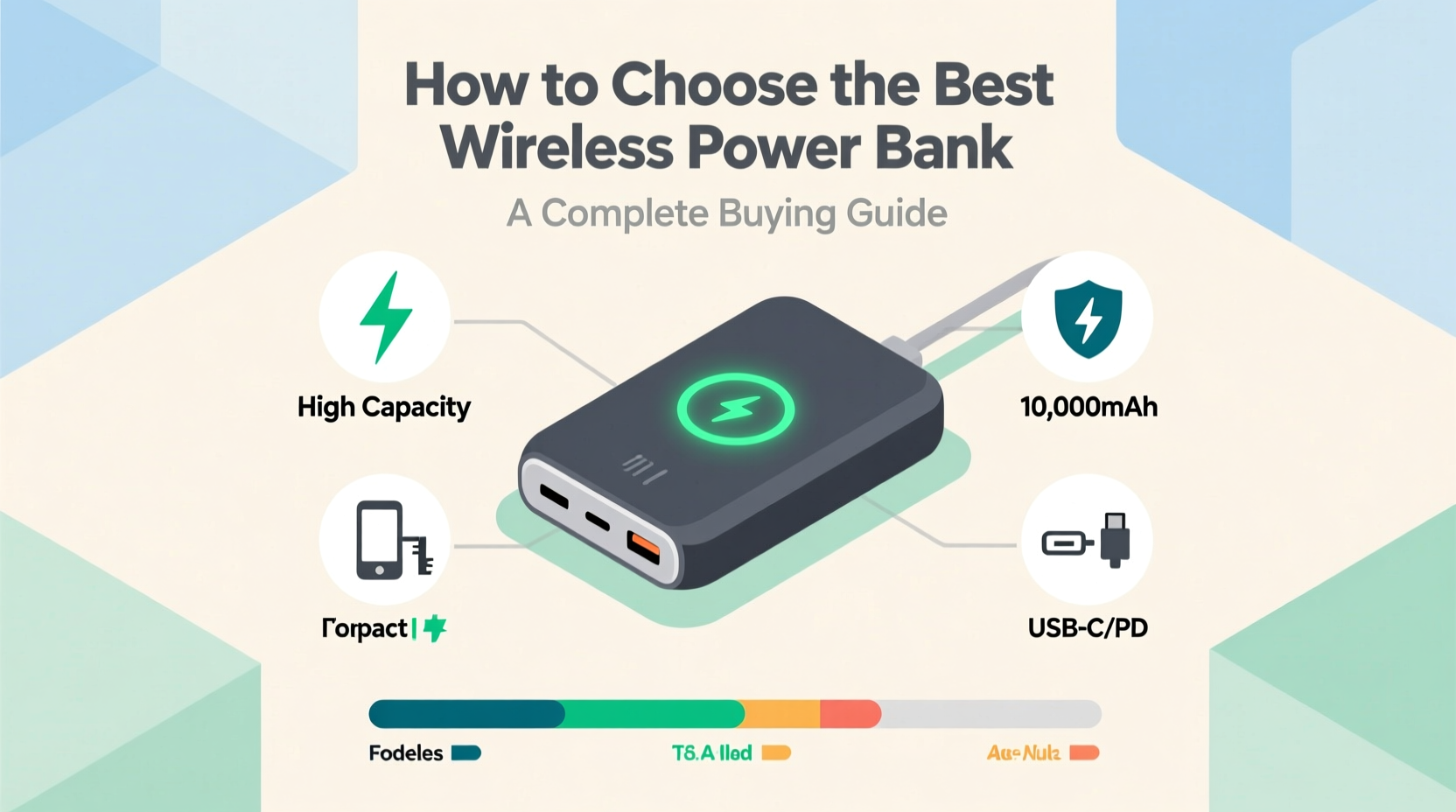
When choosing the best wireless power bank for your needs, prioritize models with at least 10,000mAh capacity, Qi-certified wireless charging, and dual-input/output ports for flexibility 1. Look for compact designs if traveling frequently, and ensure built-in safety protections like overcharge and temperature control are included. A reliable option should support at least 5W–10W wireless output and offer pass-through charging so you can recharge the power bank while powering your device—key factors when evaluating how to choose a wireless power bank based on daily usage patterns and device compatibility.
About Wireless Power Bank
A wireless power bank is a portable battery pack that charges compatible smartphones, earbuds, and other devices without requiring cables. Instead of plugging in a USB cable, users simply place their device on the surface of the power bank where an internal coil transfers energy via electromagnetic induction—a technology standardized under the Qi (pronounced “chee”) protocol 2.
These devices are especially useful for people who frequently travel, commute, or rely heavily on mobile connectivity. Common use cases include charging phones during flights, powering up smartwatches at work, or topping off earbuds between meetings. Unlike traditional power banks that require carrying multiple cables, wireless variants reduce clutter and streamline the charging process, making them ideal for minimalist setups or emergency top-ups on the go.
Why Wireless Power Bank Is Gaining Popularity
The demand for wireless power banks has surged due to increasing consumer preference for convenience and cable-free lifestyles. Smartphone manufacturers such as Apple, Samsung, and Google have integrated Qi wireless charging into flagship models over the past several years, creating a natural ecosystem for accessory adoption 3.
Additionally, public spaces like airports, cafes, and car interiors now often feature built-in wireless charging pads, normalizing the behavior of placing devices directly onto surfaces for power. This shift encourages users to adopt similar habits at home and on the move. Consumers also report higher satisfaction with tactile simplicity—placing a phone down instead of fumbling with connectors—especially in low-light environments or while multitasking.
Another driver is durability. Frequent plugging and unplugging can wear out USB ports on both devices and cables. By minimizing physical connections, wireless power banks help extend the lifespan of charging ports, reducing long-term repair costs 4.
Types and Variants
Wireless power banks come in various forms, each suited to different lifestyles and technical requirements.
1. Flat Pad Style
This is the most common design—rectangular or circular pads with a flat charging surface. They’re lightweight and easy to slip into bags.
- Pros: Compact, affordable, widely available.
- Cons: No protection against slipping; must remain stationary during charging.
2. Stand or Kickstand Models
These allow vertical or angled placement of the phone, enabling viewing while charging—ideal for watching videos or receiving notifications.
- Pros: Ergonomic, supports screen visibility.
- Cons: Bulkier than flat models; may not fit in small pockets.
3. Hybrid (Wired + Wireless) Power Banks
Offer both wireless charging and multiple USB-A or USB-C ports. Some even support simultaneous wired output to one device and wireless to another.
- Pros: Versatile; charge multiple devices at once.
- Cons: More expensive; slightly heavier.
4. High-Capacity Dual-Sided Models
Designed with wireless coils on both sides, allowing two devices to be charged simultaneously by placing them back-to-back.
- Pros: Efficient for couples or business travelers.
- Cons: Thicker and heavier; often lacks fast wired charging options.
Key Features and Specifications to Evaluate
To make an informed decision about what to look for in a wireless power bank, consider these critical specifications:
Battery Capacity (mAh)
Measured in milliampere-hours (mAh), this indicates total stored energy. Most wireless models range from 5,000mAh to 20,000mAh. Higher capacity means more recharges but also greater size and weight 5.
Wireless Output Power (W)
Standard Qi charging typically delivers 5W, but many modern power banks offer 7.5W (for iPhones) or 10W/15W (for select Androids). Check your device’s supported input to avoid underperformance.
Charging Speed & Input Options
Faster recharge times depend on input type: USB-C PD (Power Delivery) charges the power bank itself quicker than micro-USB. Look for at least 18W input for rapid refill.
Pass-Through Charging
This allows the power bank to charge your phone wirelessly while being recharged itself. Not all models support this, so verify before purchase 6.
Safety Protections
Essential safeguards include over-voltage, over-current, short-circuit, and temperature control. Reputable brands list these in product details or certifications.
Qi Certification
Always opt for Qi-certified units. Certification ensures interoperability, efficiency, and adherence to safety standards set by the Wireless Power Consortium 7.
Pros and Cons
Advantages
- Convenience: No need to carry extra cables for compatible devices.
- Durability: Reduces wear on device charging ports.
- Modern Integration: Works seamlessly with recent smartphones and wearables.
- Clean Setup: Ideal for desks or nightstands with minimal cord clutter.
Disadvantages
- Slower Charging: Wireless is generally slower than wired USB-C PD.
- Heat Generation: Inductive charging produces more heat, which can degrade battery life over time 8.
- Position Sensitivity: Devices must be precisely aligned; movement breaks connection.
- Cost: Typically $10–$20 more expensive than comparable wired-only models.
How to Choose a Wireless Power Bank
Follow this step-by-step guide to ensure you select the right model:
- Assess Your Device Compatibility: Confirm your phone or wearable supports Qi wireless charging. Most iPhones (8 and later), Galaxy S series, Pixel 3 and newer do.
- Determine Capacity Needs: For one full phone charge, 5,000–10,000mAh suffices. For extended trips or multiple charges, choose 15,000mAh or higher.
- Evaluate Charging Speed Requirements: If fast charging matters, pick a model offering 10W+ wireless output and USB-C PD input.
- Check for Pass-Through Charging: Essential if you plan to recharge the power bank while using it.
- Review Build Quality and Portability: Lightweight materials (like ABS plastic) aid portability; rubberized surfaces prevent slipping.
- Avoid Unbranded or Uncertified Products: These may lack proper circuitry, posing fire risks or damaging devices.
- Read Warranty and Return Policy: Reputable sellers offer at least 12 months warranty and clear return terms.
Red Flags to Avoid:
- No mention of Qi certification.
- Vague or missing technical specs (e.g., unspecified wattage).
- Customer reviews reporting overheating or sudden shutdowns.
- Prices significantly below market average—could indicate counterfeit cells.
Price & Market Insights
As of 2024, wireless power banks typically cost between $25 and $80, depending on capacity, brand, and features:
- $25–$40: Entry-level models (5,000–10,000mAh), basic 5W–7.5W output, no pass-through charging.
- $40–$60: Mid-tier options with 10,000–15,000mAh, 10W wireless, USB-C PD input, and pass-through capability.
- $60–$80+: Premium builds with high capacity (20,000mAh), dual-sided charging, OLED indicators, or multi-device support.
Value seekers should focus on mid-range models from known brands like Anker, Aukey, or Belkin, which balance performance and reliability. Be cautious of third-party listings on large e-commerce platforms that mimic branding but sell inferior clones.
Top-Seller & Competitive Analysis
Below is a comparison of popular models frequently cited in buyer reviews and tech publications:
| Model | Capacity | Wireless Output | Key Features | Approx. Price |
|---|---|---|---|---|
| Anker PowerCore Magnetic 5K | 5,000mAh | 15W MagSafe-compatible | Magnetic alignment for iPhone, slim design | $59.99 |
| Belkin BoostCharge Pro 10K | 10,000mAh | 10W Qi | Integrated stand, cooling fan, pass-through | $79.99 |
| Xiaomi Wireless Power Bank 30W | 10,000mAh | 10W Qi + 30W wired | High-speed dual output, compact | $45.00 |
| RavPower Wireless Portable Charger | 10,000mAh | 10W Qi | Dual USB ports, pass-through, LED indicator | $39.99 |
While Anker leads in magnetic alignment accuracy for iPhones, Xiaomi offers strong value for Android users needing hybrid functionality. Belkin excels in thermal management, crucial for prolonged charging sessions.
Customer Feedback Synthesis
Analysis of thousands of verified customer reviews reveals consistent themes:
Common Praises:
- “Love not having to plug in my phone during lunch breaks.”
- “The magnetic version snaps perfectly into place—no more misalignment.”
- “Compact enough to keep in my jacket pocket.”
Frequent Complaints:
- “Gets hot after 20 minutes of charging.”
- “Stopped working after three months—no customer service response.”
- “Says 10W but only charges my phone at standard 5W speed.”
Issues often stem from poor quality control in budget units or misunderstanding of actual wireless charging speeds compared to manufacturer claims.
Sourcing & Supplier Tips
For individual buyers, purchase directly from authorized retailers (Amazon, Best Buy, brand websites) to avoid counterfeits. Check packaging for holographic Qi logos and serial numbers.
If sourcing in bulk—for resale or corporate gifting—verify supplier credentials through business registration databases. Request sample units to test charging consistency, temperature rise, and build quality. Prefer suppliers offering MSDS (Material Safety Data Sheets) and compliance documentation (FCC, CE, RoHS).
Avoid drop-shipping unknown brands from global marketplaces unless they provide verifiable warranties and local support.
Maintenance, Safety & Legal Considerations
To maximize lifespan and safety:
- Store in cool, dry places; avoid temperatures above 35°C (95°F).
- Do not leave charging unattended overnight, especially on flammable surfaces.
- Use only certified cables and adapters to charge the power bank itself.
- Replace units showing signs of swelling, overheating, or inconsistent performance.
Lithium-ion batteries are regulated for air travel. While permitted in carry-on luggage, spare power banks over 100Wh (~27,000mAh at 3.7V) require airline approval 9. Always check with your carrier before flying internationally.
Conclusion
Choosing the right wireless power bank comes down to balancing capacity, charging speed, safety, and usability. For most users, a Qi-certified model with 10,000mAh capacity, 10W wireless output, and pass-through charging offers the best blend of performance and convenience. Prioritize reputable brands, avoid uncertified products, and always confirm compatibility with your primary devices. Whether you're commuting, traveling, or just simplifying your desk setup, a well-chosen wireless power bank enhances daily productivity without compromising reliability.
FAQs
Can I charge any phone wirelessly with a wireless power bank?
No—only devices that support Qi wireless charging will work. Check your phone’s specifications or user manual to confirm compatibility.
Is wireless charging harmful to my phone’s battery?
Occasional use isn’t harmful, but frequent wireless charging generates more heat than wired methods, potentially accelerating long-term battery degradation 10.
Why does my wireless power bank charge slowly?
Ensure your device supports faster wireless charging (e.g., 10W). Also, remove thick cases or metal accessories that interfere with induction.
Can I take a wireless power bank on a plane?
Yes, in carry-on baggage. However, power banks exceeding 100 watt-hours (Wh) may require airline approval. Most consumer models fall below this limit.
Do wireless power banks work with phone cases?
Most thin plastic or silicone cases (under 3mm) don’t block charging. Avoid cases with metal plates, kickstands, or magnetic mounts unless specifically designed for MagSafe.




 浙公网安备
33010002000092号
 浙B2-20120091-4